
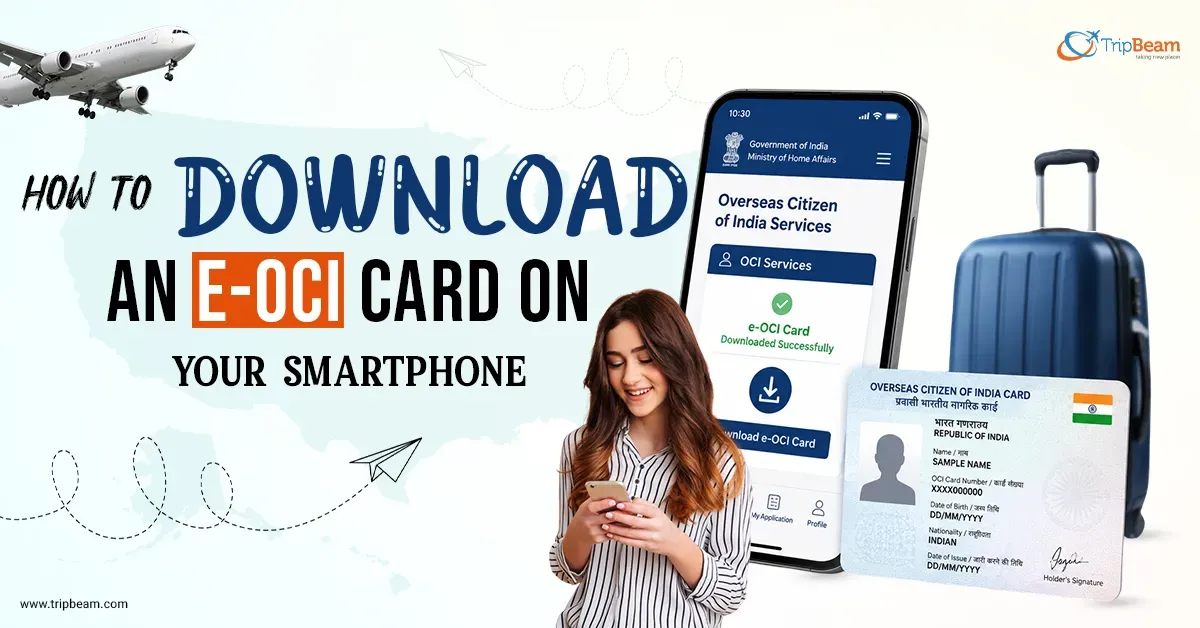
India’s Home Minister Amit Shah officially launched the e-OCI card on June 30, 2026. More than 5 million OCI cardholders worldwide can now store the digital version of their physical OCI booklet on their smartphones.
If you’re an OCI cardholder living in the USA, here’s what has changed and what you need to do.
If a trip to India is coming up, book flights from USA to India on Tripbeam. OCI holders travelling frequently between the two countries can move through Indian airports faster once facial recognition integration rolls out by December 2026.
What Is the e-OCI Card?
The e-OCI card is the digital version issued alongside your physical OCI booklet. It is not a replacement, not a new application, and not something you need to pay for. The download is free through the official OCI Services portal at ociservices.gov.in/onlineOCI/.
Your physical OCI booklet stays fully valid. The e-OCI card is an additional digital facility that sits alongside it. Think of it the same way you think of a digital boarding pass alongside a printed one. The paper version doesn’t stop working, but having it on your phone is more convenient.
The e-OCI system was announced on May 1, 2026, and launched under the Citizenship Amendment Rules, 2026. The entire OCI process, from application to documentation to reissuance, has been digitised as part of this update.
What Has Changed for Existing OCI Card Holders?
Before this update, Overseas Citizen of India cardholders who got a new passport after age 20 had to apply for a physical reissuance of their OCI booklet. That requirement is gone. You now update your new passport details online through the OCI Services portal instead of applying for a new physical booklet.
Processing time for new OCI applications has also dropped from 6–8 weeks to 8–15 business days under the new digital system.
By December 2026, Indian international airports will integrate the e-OCI card with facial recognition lanes, allowing holders to clear immigration without stopping at a counter. That’s the real benefit that makes this update significant for frequent travellers.
How to Download Your e-OCI Card
If you already have an OCI card, you don’t need to apply for anything new. The OCI card download process takes only a few minutes.
- Go to the official OCI Services portal (ociservices.gov.in/onlineOCI/).
- Log in using your existing User ID and password. If you’ve never logged in before, register using the same email address you used in your original OCI application.
- Go to your dashboard after logging in.
- Select the e-OCI tab.
- Your application details will appear. Click “Generate e-OCI Card” in the last column.
- Once your OCI card download is complete, save the digital copy on your smartphone for quick access during travel.
If you can’t access your registered email, the OCI Services portal allows you to update your email before generating your e-OCI card.
Do You Still Need to Carry the Physical Booklet?
For now, yes, carry both. Airlines, check-in staff at overseas airports, and immigration counters outside India are still adjusting to the new system. The physical booklet remains fully valid and is your backup if any verification point hasn’t yet updated its process.
Inside India, the integration is moving faster.
By December 2026, facial recognition lanes at Indian international airports are expected to accept the e-OCI card directly. Once that rollout is complete, the digital version will become much more convenient than carrying only the physical booklet for airport processing. Until then, keeping both on you is a practical approach.
What the e-OCI Card Means for OCI Holders in the USA
For Americans who travel to India regularly for family visits, property handling, attending weddings, the implications are simple.
The passport update process after age 20 is simpler and faster. You no longer wait months for a physical reissuance every time your passport renews. Update your new passport details through the OCI Services portal, and the system updates your digital record without requiring a new booklet.
The facial recognition integration coming by December 2026 matters for frequent travellers specifically. If you’re landing in Delhi or Mumbai several times a year, clearing immigration through a facial recognition lane without queuing is a meaningful time-saver.
Conclusion
The e-OCI card makes managing your OCI status much easier. Existing OCI holders can now download a digital version of their OCI booklet, update passport details online, and prepare for faster airport processing as India’s digital immigration system expands.
If you’re planning a trip soon, check Tripbeam Offers for cheap flight deals from USA to India. Also download your e-OCI card before departure and continue carrying your physical booklet until the new system is fully adopted.
FAQs
Q1) What is the e-OCI card?
A) The e-OCI card is the digital version of the physical Overseas Citizen of India (OCI) booklet launched by the Government of India on June 30, 2026. You can download it free from the official OCI Services portal (ociservices.gov.in) and store it on your smartphone. Your physical OCI booklet remains fully valid.
Q2) Do I need to apply for an e-OCI card if I already have an OCI card?
A) No application needed. Existing OCI cardholders simply log into ociservices.gov.in, generate the card from their dashboard, and download it. No fee, no new paperwork.
Q3) Is the e-OCI card free to download?
A) Yes. The Ministry of Home Affairs has confirmed the download facility is provided at no cost.
Q4) Does getting an e-OCI card make my physical booklet invalid?
A) No. The physical booklet remains fully valid. The e-OCI card is an additional digital facility, not a replacement.
Q5) Do OCI holders still need to reissue their card after getting a new passport?
A) Not anymore for those above age 20. The Citizenship Amendment Rules, 2026 removed the physical reissuance requirement. You now update your new passport details online through the OCI portal.
Q6) Can I use the e-OCI card at Indian airports?
A) Yes, you can show the e-OCI card at immigration counters and to airline staff when required. Indian international airports are expected to integrate it with facial recognition lanes by December 2026.
Q7) What if I can’t access my registered email to log in?
A) You can update your registered email through the OCI portal before attempting to generate or download the e-OCI card.